Vertical hosting scaling adds CPU, RAM, and storage to existing servers, boosting performance typically 30-50% without complex migrations. This cost-effective approach allows businesses to handle traffic spikes by upgrading hardware resources rather than moving to new servers. Most hosting providers like AWS and SiteGround offer vertical scaling options ranging from $20-200 monthly depending on resource needs.
What is Vertical Hosting Scaling and Why It Matters
Vertical hosting scaling refers to adding more powerful hardware resources like CPU cores, RAM, or storage capacity to an existing server infrastructure. This approach contrasts with horizontal scaling, which involves adding multiple servers to distribute workload. Vertical scaling typically costs between $50-500 monthly depending on resource requirements and provider selection.
The primary benefits include immediate performance improvements without the complexity of server migration or application reconfiguration. Businesses often see response time improvements of 25-40% when upgrading from basic shared hosting to vertically scaled environments. This method works particularly well for database-intensive applications, content management systems, and high-traffic websites requiring consistent performance.
Who Should Consider Vertical Hosting Scaling
Vertical scaling is ideal for growing businesses experiencing increased website traffic but wanting to avoid the technical complexity of managing multiple servers. E-commerce sites during peak sales periods, SaaS applications with expanding user bases, and content-heavy websites benefit most from this approach. Small to medium businesses typically find vertical scaling more manageable than horizontal alternatives.
Companies with single applications that require more processing power, rather than distributed workloads, should prioritize vertical scaling. This includes businesses running WordPress sites with heavy plugin usage, online learning platforms with video content, or customer relationship management systems serving growing client databases.
How Vertical Scaling Differs from Horizontal Scaling
Vertical scaling works by upgrading the existing server’s hardware components, while horizontal scaling distributes workload across multiple servers connected in a cluster. The key difference lies in architecture complexity and management requirements. Vertical scaling maintains a single server environment, making it easier to monitor and maintain.
When choosing between approaches, consider your application architecture and growth patterns. Applications designed for single-server environments benefit more from vertical scaling, while distributed applications requiring load balancing across multiple locations favor horizontal scaling. Load balancing solutions help distribute traffic effectively in horizontal setups.
Cost Comparison Between Scaling Methods
Vertical scaling typically costs $100-800 monthly for substantial upgrades, while horizontal scaling requires $300-1500 monthly for comparable performance improvements due to multiple server licensing and management overhead. The break-even point usually occurs around 10,000-15,000 daily visitors, where horizontal scaling becomes more cost-effective for handling distributed traffic loads.
Operational costs also differ significantly. Vertical scaling requires minimal additional management time, while horizontal scaling demands expertise in cluster management, load balancing configuration, and distributed system monitoring. Most businesses save 40-60% on operational expenses by choosing vertical scaling when appropriate.
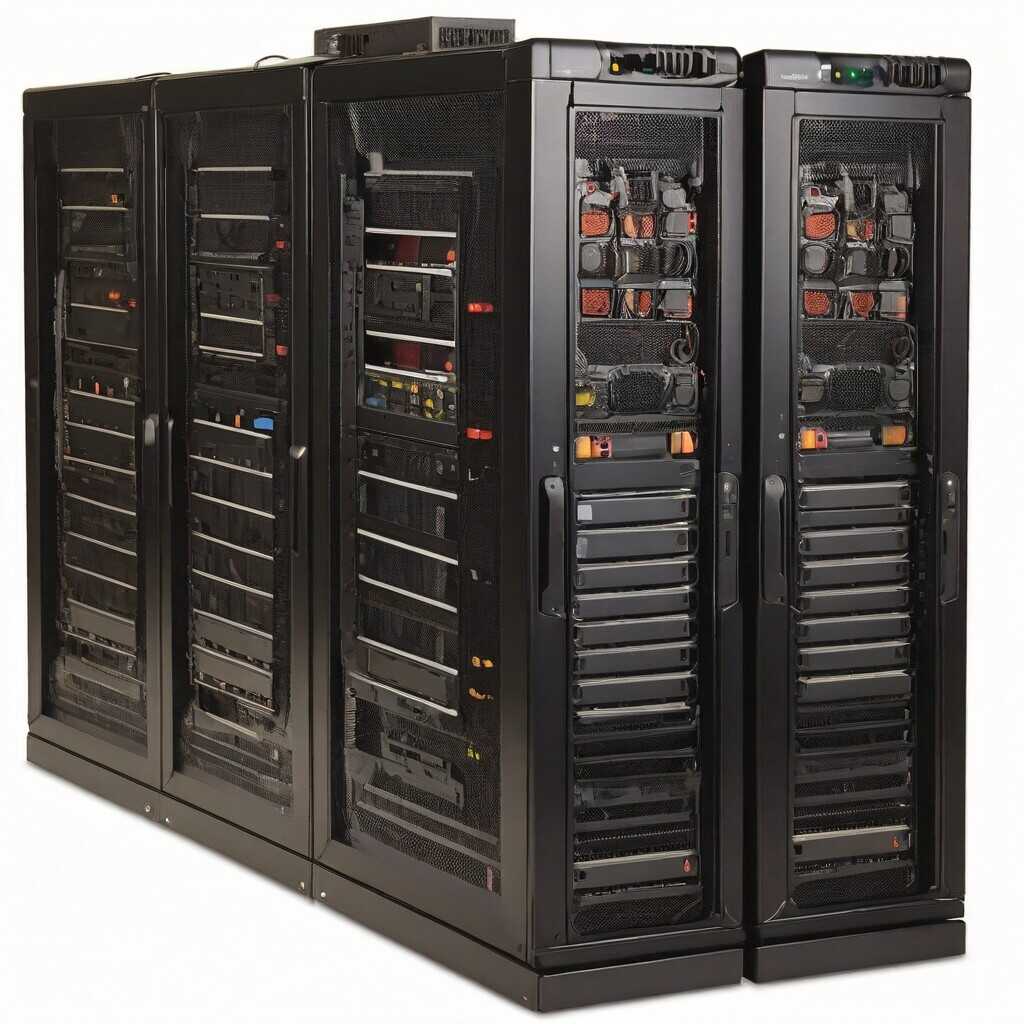
Key Benefits of Vertical Hosting Scaling
The advantages of vertical scaling include simplified management, immediate performance improvements, and cost-effectiveness for single-application environments. Upgrading server resources typically takes 15-30 minutes with minimal downtime, compared to hours or days required for horizontal scaling implementation.
Performance benefits are measurable and immediate. CPU upgrades can improve processing speed by 50-100%, while RAM increases of 200-400% are common and directly impact application responsiveness. Storage upgrades to SSD arrays can reduce database query times by 60-80%, significantly improving user experience.
Simplified Management and Monitoring
Vertical scaling maintains a single server environment, eliminating the complexity of managing distributed systems. This approach reduces monitoring overhead by 70-80% compared to horizontal clusters. System administrators can focus on optimizing one server configuration rather than coordinating multiple server instances.
Backup and disaster recovery processes remain straightforward with vertical scaling. Single-server backups complete faster and restore more reliably than distributed system recovery procedures. This simplicity reduces the risk of configuration errors that can cause system-wide failures in horizontal environments.
Step-by-Step Implementation Guide
Implementing vertical scaling requires careful planning and execution to minimize disruption. Start by analyzing current resource utilization using tools like htop, iostat, or cloud monitoring dashboards. Identify bottlenecks in CPU usage, memory consumption, or storage performance before planning upgrades.
Choose upgrade components based on your specific bottlenecks. CPU upgrades address processing-intensive applications, RAM increases help memory-intensive workloads, and storage upgrades improve database performance. Most providers allow incremental upgrades, enabling gradual scaling based on performance monitoring results.
Pre-Implementation Planning
Before implementing vertical scaling, conduct thorough performance testing to establish baseline metrics. Document current response times, resource utilization patterns, and peak usage periods. This data helps determine appropriate upgrade specifications and validates post-implementation improvements.
Schedule upgrades during low-traffic periods to minimize user impact. Most vertical scaling operations require 10-30 minutes of downtime for hardware resource allocation. Automated backup systems ensure data protection during the upgrade process.
Implementation Process
The implementation process typically involves three phases: preparation, execution, and validation. During preparation, create full system backups and notify users of scheduled maintenance windows. The execution phase includes resource allocation and system configuration updates.
Validation involves testing all critical applications and monitoring performance metrics for 24-48 hours post-implementation. Compare new performance data against baseline measurements to quantify improvements. Most successful implementations show 25-50% performance improvements within the first week.
Cost Analysis and Budget Planning
Vertical scaling costs vary significantly based on resource requirements and hosting provider selection. Basic CPU upgrades typically cost $25-75 monthly, while substantial RAM increases range from $50-200 monthly. Storage upgrades to high-performance SSD arrays cost $30-150 monthly depending on capacity requirements.
Enterprise-grade vertical scaling can cost $500-2000 monthly for high-performance configurations supporting large-scale applications. However, this investment often proves cost-effective compared to horizontal scaling alternatives requiring multiple server licenses and management overhead.
Cost-Benefit Analysis Framework
Calculate vertical scaling ROI by comparing upgrade costs against performance improvements and operational savings. A typical analysis considers monthly upgrade fees, reduced downtime costs, and improved user experience metrics. Most businesses achieve positive ROI within 3-6 months of implementation.
Factor in opportunity costs of improved performance, including increased conversion rates, reduced bounce rates, and enhanced user satisfaction. E-commerce sites often see 15-25% conversion rate improvements after vertical scaling implementations, directly impacting revenue generation.
Top Hosting Providers for Vertical Scaling
Leading hosting providers offer different vertical scaling capabilities and pricing structures. AWS provides the most flexible options with per-hour billing and extensive resource configurations. Pricing starts around $50 monthly for basic upgrades and scales to $1000+ for enterprise configurations.
SiteGround excels in managed vertical scaling with expert support and optimized configurations for popular applications like WordPress. Their plans range from $80-400 monthly and include performance optimization services. Kinsta specializes in high-performance WordPress hosting with automatic scaling capabilities.
Provider Selection Criteria
Choose providers based on scaling flexibility, support quality, and pricing transparency. Evaluate upgrade timeframes, downtime requirements, and rollback capabilities. The best providers offer instant resource allocation with minimal service interruption.
Consider long-term scaling potential and pricing predictability. Some providers offer reserved capacity discounts for committed usage, while others use dynamic pricing that can increase costs unexpectedly. Compare hosting provider features and pricing to make informed decisions.
Limitations and Important Considerations
Vertical scaling limitations include hardware ceiling constraints and single-point-of-failure risks. Most servers have maximum CPU, RAM, and storage limits that eventually require horizontal scaling alternatives. Physical hardware constraints typically limit vertical scaling to 64-128 CPU cores and 1-2TB RAM configurations.
Cost scaling becomes less efficient at higher resource levels. Upgrading from 32GB to 64GB RAM might cost $100 monthly, while increasing to 128GB could cost $400 monthly due to premium hardware pricing. These diminishing returns favor horizontal scaling for large-scale applications.
Risk Mitigation Strategies
Mitigate vertical scaling risks through comprehensive backup strategies and disaster recovery planning. Implement monitoring systems that detect performance degradation and resource exhaustion before they impact users. Most successful implementations include automated alerting for resource utilization thresholds.
Plan migration strategies for future horizontal scaling needs. Design applications and database schemas that support eventual distribution across multiple servers. This forward-thinking approach prevents architectural constraints that complicate future scaling decisions.
Alternatives to Vertical Scaling
Horizontal scaling distributes workload across multiple servers, offering unlimited growth potential but requiring complex management and application architecture changes. Cloud auto-scaling automatically adjusts resources based on demand, combining benefits of both vertical and horizontal approaches.
Content delivery networks (CDNs) reduce server load by caching static content globally, potentially eliminating the need for server upgrades. Database optimization and caching strategies can improve performance significantly without hardware changes, costing 60-80% less than vertical scaling.
When to Choose Alternative Solutions
Consider horizontal scaling when vertical scaling costs exceed $800 monthly or when applications require geographic distribution. Auto-scaling solutions work best for applications with predictable traffic patterns and variable resource demands throughout the day.
CDN solutions excel for content-heavy websites serving global audiences. These alternatives cost $50-300 monthly and can reduce server load by 70-90%, potentially eliminating scaling needs entirely. Evaluate all options before committing to expensive vertical scaling implementations.
Common Mistakes and How to Avoid Them
The most common vertical scaling mistake involves upgrading without identifying actual bottlenecks. Many businesses waste money upgrading CPU when RAM limitations cause performance issues, or vice versa. Conduct thorough performance analysis before planning any upgrades.
Another frequent error is inadequate testing after implementation. Always validate performance improvements and monitor for unexpected issues following vertical scaling operations. Incomplete testing can miss configuration problems that emerge under production loads.
Best Practices for Success
Follow incremental scaling approaches rather than massive upgrades. Start with 50-100% resource increases and monitor results before additional scaling. This strategy minimizes costs and reduces risk of over-provisioning resources.
Maintain detailed documentation of all scaling activities, including performance baselines, upgrade specifications, and post-implementation metrics. This documentation proves invaluable for future scaling decisions and troubleshooting performance issues.
Future Trends in Vertical Hosting Scaling
Emerging technologies like containerization and serverless computing are changing vertical scaling approaches. Container orchestration platforms enable more efficient resource utilization, allowing finer-grained scaling without traditional server constraints.
Artificial intelligence-driven auto-scaling systems predict resource needs and implement vertical scaling automatically. These systems analyze usage patterns and adjust resources proactively, reducing costs by 30-40% compared to manual scaling approaches. Review technical specifications and capabilities of modern hosting solutions.
Preparing for Future Scaling Needs
Design applications with cloud-native principles that support both vertical and horizontal scaling. Use microservices architectures and stateless application designs that scale efficiently regardless of underlying infrastructure choices.
Invest in monitoring and analytics tools that provide insights into resource utilization patterns and performance trends. These tools enable data-driven scaling decisions and help optimize costs while maintaining performance standards.